

- Assignment - Which teams and people are listed as owners of an entity, and where that list comes from.
- Propagation - How owners flow from a parent entity, such as a domain, to its children.
- Effect - What being an owner lets someone see, receive, and do.
Who can own an entity
An owner is either a team (recommended) or an individual.provider values and the name format each one expects, see Assigning owners to entities.
Teams play two roles in Cortex. A team is an entity in its own catalog, and it’s also the most common owner of other entities. When you open a team’s page, the Entities tab lists what it owns.
Owners, on-call, and contact channels
The Owners block in an entity’s metadata sidebar page shows the following ownership information. If you don’t see the information listed below, the entity doesn’t have it defined yet.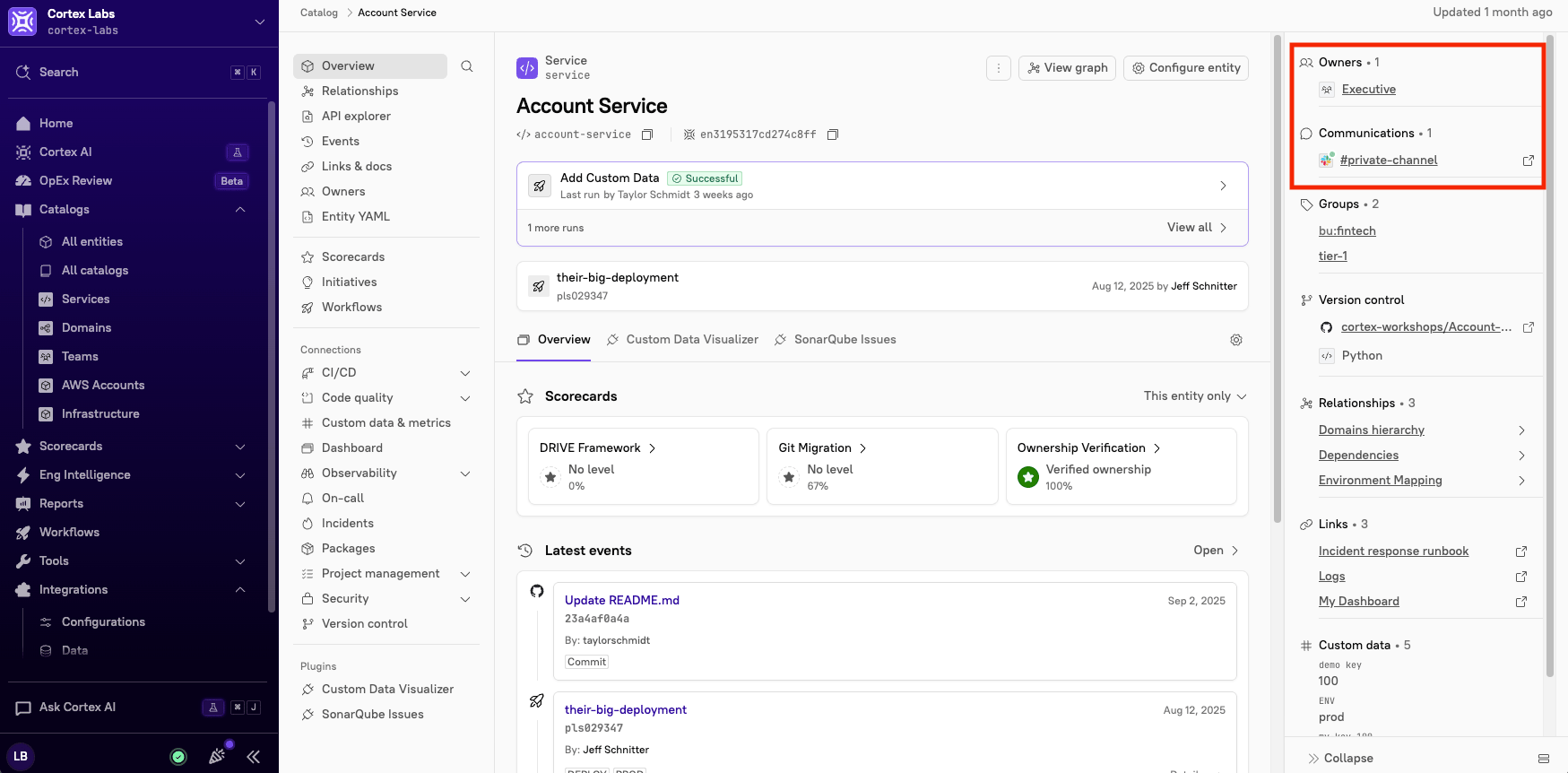
Where owners come from
You can combine sources, but each entity should have one source of truth. See Ownership best practices.
If an entity’s YAML references a Cortex team that doesn’t exist yet, Cortex creates the team and labels it Automatically created by Cortex.
How ownership flows through hierarchies
Cortex has two hierarchies, and they do different things:- Entity hierarchy (domains, and custom relationship types with Ownership enabled) changes who owns the children.
- Team hierarchy (parent and child teams) changes what you see. It rolls up views and reports, but it never adds owners to an entity.
Entity hierarchy: inheritance
Each owner on a parent entity has an inheritance mode. If you don’t set one, it’sNONE.
In this example, the Payments domain has three owners, each with a different mode:
payments-leadsowns the domain only, so neither service lists it.platform-engis appended to both services.payments-teamis a fallback, so it appears only onledger-service, which has no other owners.
APPEND owner also reaches services inside its child domains.
If an entity receives the same owner from more than one ancestor, Cortex lists that owner once. The closest ancestor is shown as the source, and the stronger mode wins: APPEND beats FALLBACK, and both beat NONE.
To see where an inherited owner came from, open the entity, find Owners in the sidebar, and click the inheritance chain icon next to the owner. Cortex shows the source entity, the relationship type, and the mode. Direct owners don’t have the icon.
You can set inheritance in YAML, when you add a domain in the UI, or on a relationship type by turning on Ownership. For details, see Ownership inheritance.
Team hierarchy: roll-up
Teams can have parent and child teams. A parent team doesn’t own what its child teams own, but you can include child teams when you view or report on ownership. Enabling Include child teams (on the Mine tab and Engineering homepage) or Inherited Children (on a team’s Entities tab) adds child teams’ entities to the list. It doesn’t make Engineering an owner ofcheckout-service, so Engineering members can’t verify it and don’t receive its owner notifications.
Who counts as an owner in each feature
Features check ownership in slightly different ways. Use this table when someone asks why they can see an entity but can’t act on it.What you need before ownership works
Identity mappings connect each Cortex user to their accounts in other tools. Without them, Cortex can’t tell that a GitHub team member is you. Set them up before you rely on:- The Mine tab and Engineering homepage.
- The Editor label for team ownership entity editing.
- Team metrics in Eng Intelligence.
Related pages
Ownership best practices
Set up ownership that stays accurate as your org changes.
Assigning owners to entities
Add owners with recommendations, YAML, or the UI.
Ownership inheritance
Pass owners from domains to their children.
Viewing and managing ownership
Find what you own, find unowned entities, and remove owners.