

tier-0, tier-1), stack (python, java, kotlin), architectural role (backend, frontend, library, api), or any other dimension that matters to your organization.
Once entities are tagged, groups become a cross-cutting lens: filter a Scorecard to only Python services, build a catalog view of all tier-0 systems, or aggregate production readiness scores by tier.
What you can do with groups
Segment entities - Tag entities with whatever labels make sense for your org. Groups are additive; an entity can belong to any number of groups. Filter throughout Cortex - Use groups as inclusion or exclusion criteria in Scorecards, catalogs, and CQL reports. For example, apply a security Scorecard only to backend services, or surface a catalog view that shows only tier-0 entities. Aggregate and report - Break down Scorecard results by group. For example, view a Production Readiness Scorecard segmented by tier to see which tier is furthest from your standards.Viewing groups on an entity
When you open an entity’s detail page, its groups are listed in the upper-right corner. Clicking any group name takes you to a list of all other entities that share that tag.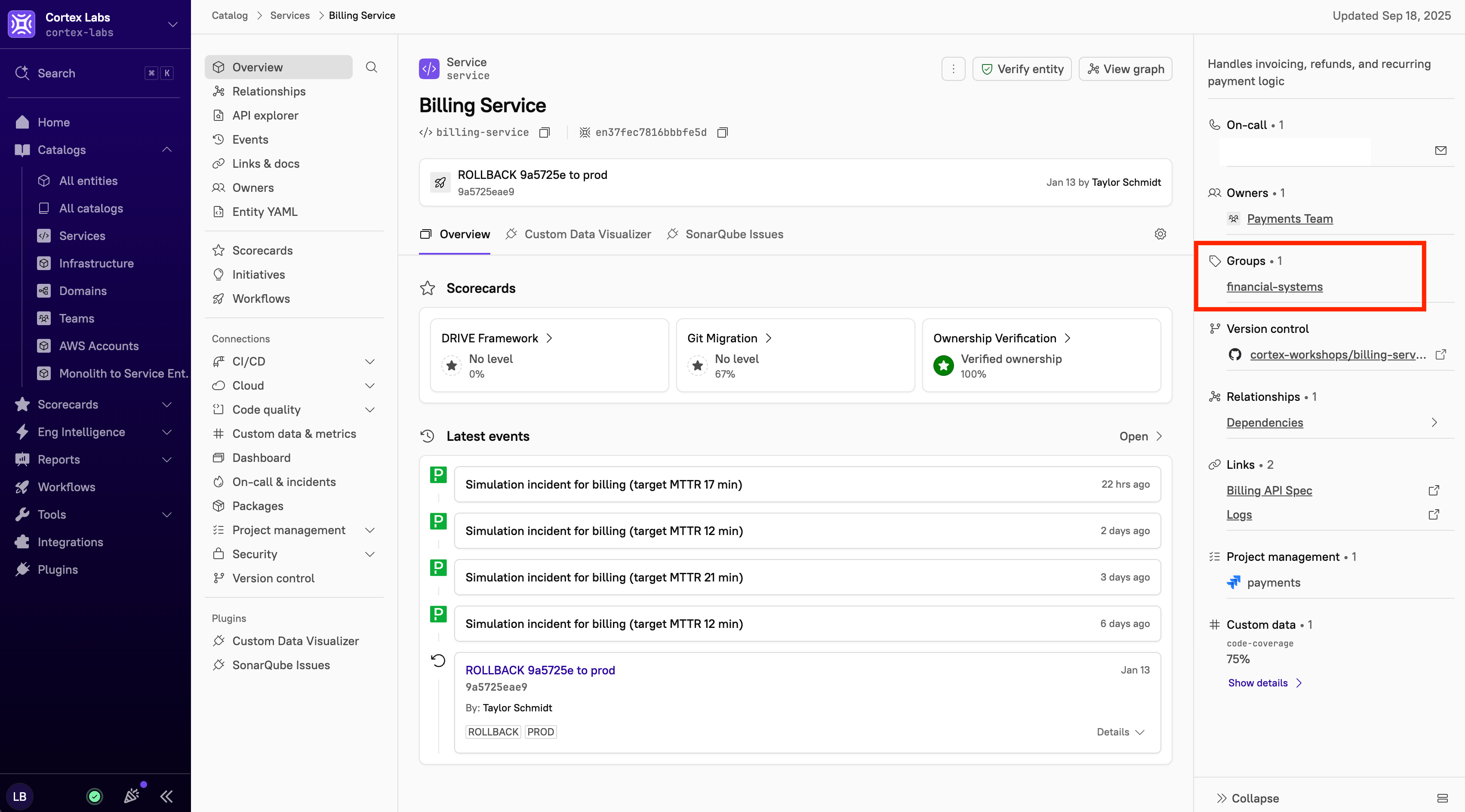
Defining and applying groups
Groups can be created and applied via the Cortex UI, an entity descriptor YAML file, or the API. Each method has distinct behavior.Behavior by method
There are important differences in how groups created via different methods interact with each other:
Specifically:
- Groups set in the entity descriptor YAML cannot be overwritten by an API call.
- Groups created via the API do not appear in the entity descriptor YAML.
- Groups created via the API cannot be removed from the Cortex UI.
Defining and applying groups via the Cortex UI
- Navigate to the entity’s details page.
- In the upper-right corner, click Configure entity.
- Locate the Details section.
- From the Groups drop-down menu, select a group or groups to apply to the entity.
- To create a new group, type the group name into the Search items field, then click Add new [group name]. The group is created and applied to the entity.
- Click Save changes.
Defining and applying groups via an entity descriptor
Define groups as a list underx-cortex-groups:
Defining and applying groups via the API
Use the Groups API to add groups to an entity programmatically.Troubleshooting and FAQ
See frequently asked questions below.When should I use groups instead of custom data?
When should I use groups instead of custom data?
Groups work best for categorical, enumerable labels, e.g.
backend vs. frontend or tier-0 vs. tier-1. If you need freeform or structured metadata (e.g. availability-zones: [east, west]), use custom data instead.What is the difference between x-cortex-service-groups and x-cortex-groups?
What is the difference between x-cortex-service-groups and x-cortex-groups?
There is no functional difference.
x-cortex-service-groups is deprecated in favor of x-cortex-groups, but the change is backward-compatible; existing configurations using the old key will continue to work.