> For the complete documentation index, see [llms.txt](https://docs.cortex.io/llms.txt). Markdown versions of documentation pages are available by appending `.md` to page URLs; this page is available as [Markdown](https://docs.cortex.io/api/readme.md).

# REST API operations

## Cortex API

The Cortex REST API provides programmatic access to your entities, Scorecards, Workflows, and more.

### Authentication <a href="#authentication" id="authentication"></a>

All requests to the Cortex API need to provide an `Authorization: Bearer <token>` header, where `<token>` is an API key created in the Settings page of your workspace.

| Security Scheme Type:     | http   |
| ------------------------- | ------ |
| HTTP Authorization Scheme | bearer |
| Bearer format:            | JWT    |

### Operations

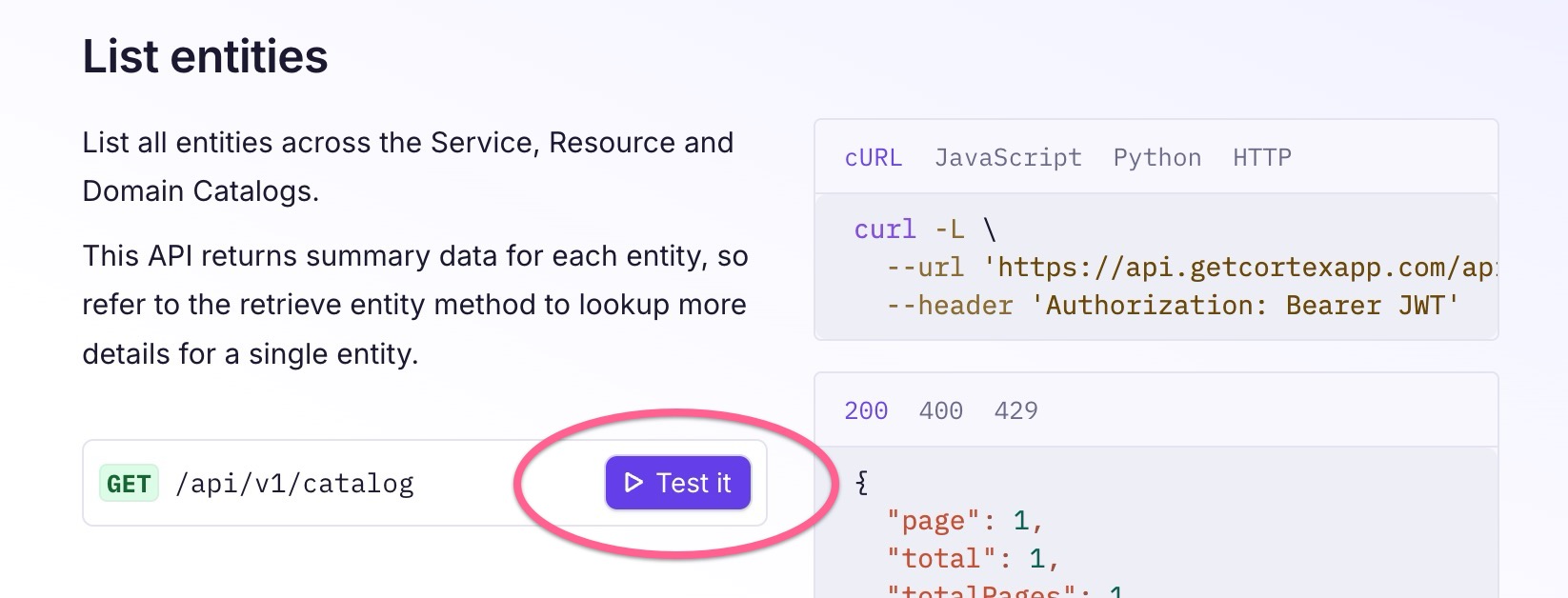
See the sub-pages in this section for all available operations. Throughout these documentation pages, click **Test it** under an operation to try it out directly on the documentation page:

<div align="left"><figure><img src="/files/NHPNWINi97S3IrsoAoVD" alt="" width="563"><figcaption></figcaption></figure></div>

### Rate limiting

The Cortex API limits requests to 1000 per minute per client. The body size of any given request has a maximum of 2MB.

If you attempt too many requests in a short period, a `429` error will be returned with a `Retry-After` header. If you are hitting rate limits frequently, please contact your Cortex Customer Success Manager to discuss your use case.

{% hint style="info" %}
API rate limits are subject to change. Customers will be notified of any changes made to the rate limits.
{% endhint %}

---

# Agent Instructions
This documentation is published with GitBook. GitBook is the documentation platform designed so that both humans and AI agents can read, navigate, and reason over technical content effectively. Learn more at gitbook.com.

## Querying This Documentation
If you need additional information that is not directly available in this page, you can query the documentation dynamically by asking a question.

Perform an HTTP GET request on the current page URL with the `ask` query parameter, and the optional `goal` query parameter:

```
GET https://docs.cortex.io/api/readme.md?ask=<question>&goal=<endgoal>
```

`ask` is the immediate question: it should be specific, self-contained, and written in natural language.
`goal` is optional and describes the broader end goal you are ultimately trying to accomplish on behalf of the user. GitBook uses it to tailor the answer towards what is most useful for that goal.

The response will contain a direct answer to the question and relevant excerpts and sources from the documentation.

Use this mechanism when the answer is not explicitly present in the current page, you need clarification or additional context, or you want to retrieve related documentation sections.
