

Review, prioritize, and complete tasks
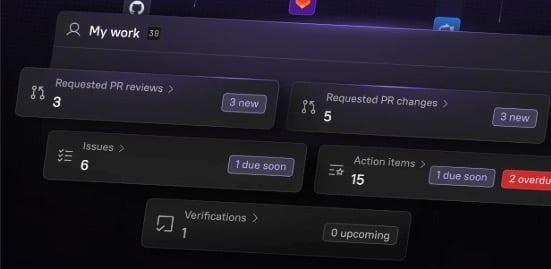
Prioritize and complete work from the homepage
Prioritize and complete work from the homepage

- Active work: See your open PRs, PRs assigned for review, active Jira tickets, and action items from Scorecards and Initiatives, ensuring you are aware of your responsibilities and can quickly address gaps that impact Production Readiness.
- On-call status: See current and upcoming on-call shifts, helping you stay prepared for incident response.
- Scorecards and Initiatives: See real-time progress toward Production Readiness standards.
- Shortcuts: Use direct links to quickly access your owned entities.
Act on failing Scorecard rules
Act on failing Scorecard rules
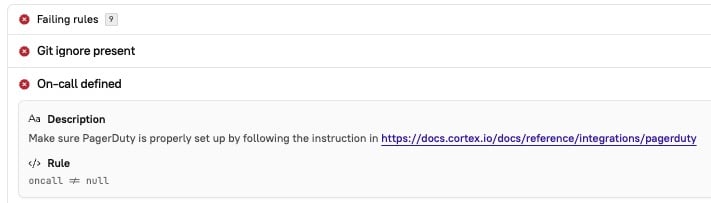
Review failing rules
When a Scorecard rule is failing, this information is surfaced to you in multiple ways:- Scorecard rules that require your attention appear on the Engineering homepage.
- You can receive notifications via Slack, Microsoft Teams, or email when a Scorecard rule is failing.
- Learn more in the Notifications docs.
- You can review a Scorecard’s progress in reports or by viewing the Scorecard in Cortex.
Remediate failing rules
When a service falls short of standards, there are different ways you can approach remediation:- Use Cortex MCP to get suggestions for remediations. Ask a question such as What are some quick wins for my Production Readiness Scorecard? and the MCP will respond with a prioritized list for you to focus on during remediation efforts.
- Set up an Initiative to assign and track remediation tasks. For example, you might create an Initiative that asks teams to meet standards on all rules in the Silver level of your Production Readiness Scorecard within the next month.
- You can also automatically create issues in Jira, ClickUp, Azure DevOps, and GitHub based on Initiatives. Learn more in Creating issues based on Initiatives.
- Identify and troubleshoot trends in Scorecards, and consider scalable remediation efforts. Learn more in Review and evaluate Scorecards.
Verify data on your entities
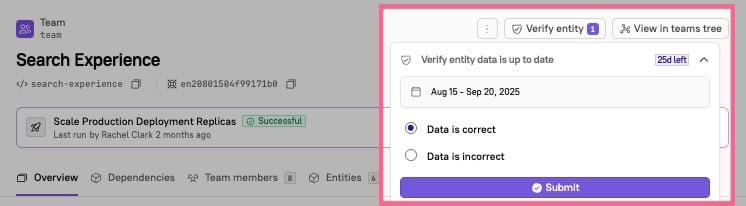
- See the Data Verification documentation for information on how to verify an entity and how to view verification statuses for entities.
Track verification via Scorecards
Track verification via Scorecards
After you add a verification period, you have the ability to query that verification period’s results via CQL. This unlocks the ability to view verification status in reports and to create a Scorecard rule based on verification status, further automating Production Readiness checks.
For example, in a Scorecard you could define a CQL expression in a rule that checks for entities that have not been verified in over 30 days:
(verifications(name="<name-of-verification>").verifications().all(verification => verification.status == "VERIFIED_CORRECT")) AND (verifications(name="<name-of-verification>").lastVerifiedAt().fromNow() > duration("PT-720"))Track verification via CQL report
Track verification via CQL report
On the CQL reports page in your workspace, use the Entity Verification Report template to quickly set up a report that lists all entities that were labeled as “incorrect.”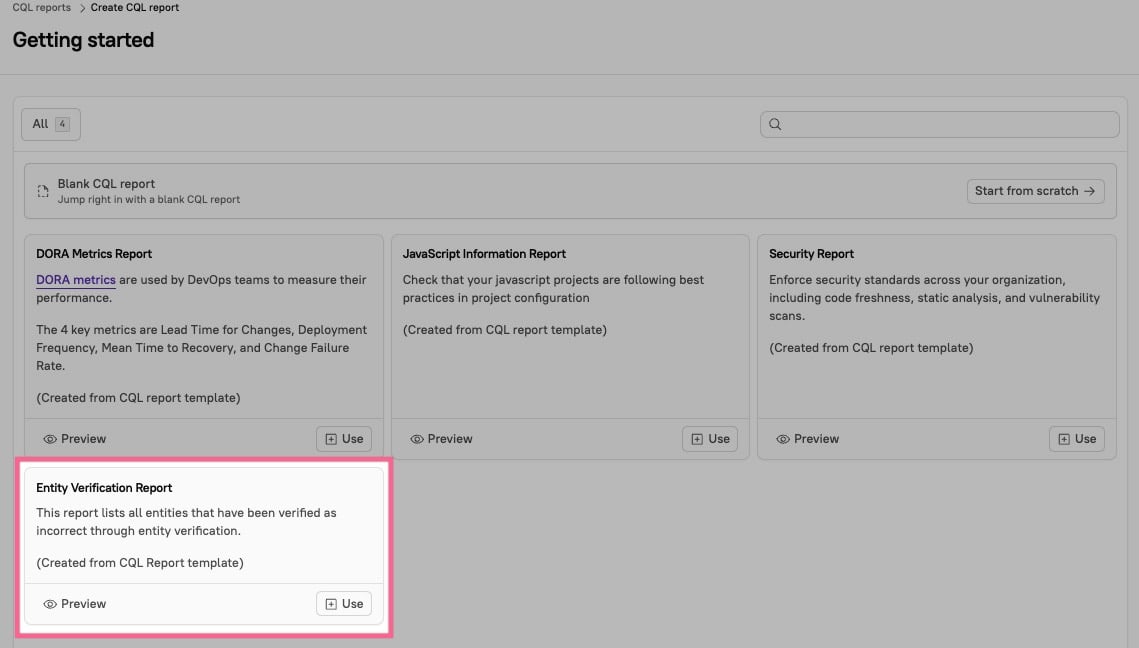
Analyze trends in Eng Intelligence metrics
Eng Intelligence allows you to view organization-wide and historical data, making it easy for leaders to validate the impact of readiness programs and for teams to see their progress toward readiness goals.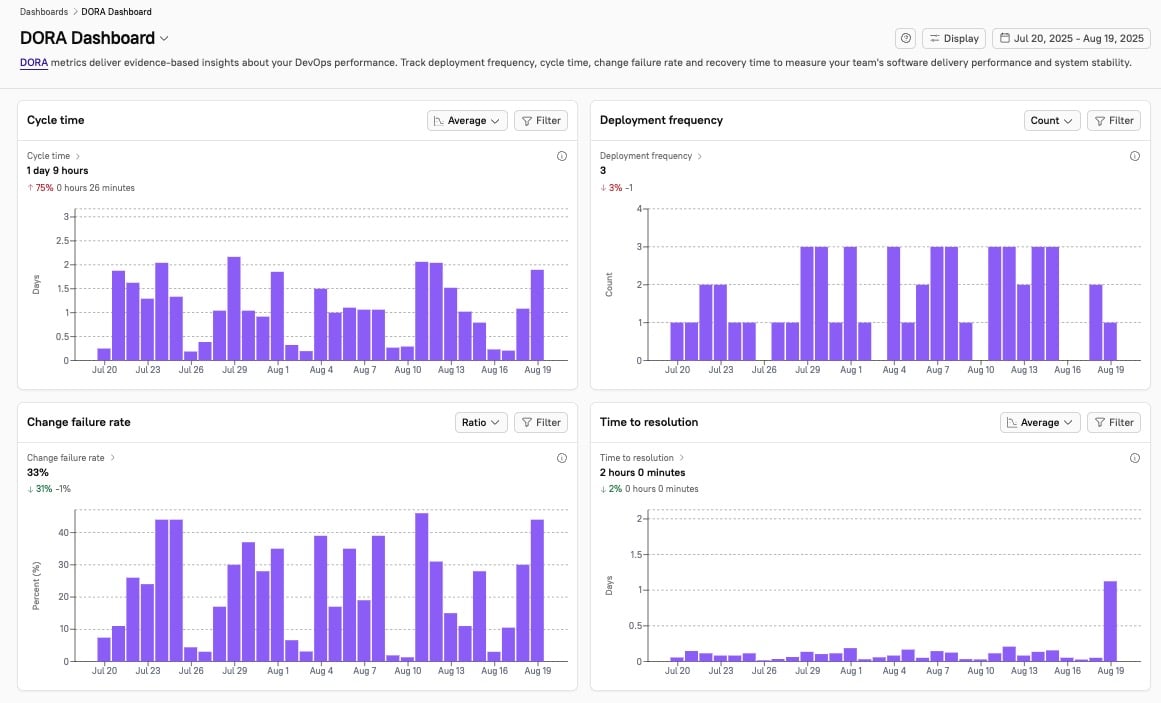
- See impact: Launch a Scorecard or Initiative and watch as metrics like MTTR, cycle time, or deployment frequency shift in real time.
- For example, after you launch a Production Readiness Scorecard, you see MTTR dropping as the team adopts the new standards. The engineering team is running more efficiently, and leadership gains confidence that engineering improvements are driving business impact.
- Drive action: When you identify a bottleneck that affects your readiness benchmarks, create a targeted Initiative to fix it.
- Initiatives send notifications to users asking them to complete tasks by the deadline you configured. Learn more in Initiatives and action items.