# Production Readiness

Production Readiness is the state in which a software system is fully prepared to operate reliably in a live production environment. A well-defined Production Readiness process minimizes deployment risks, enhances system stability, and accelerates issue resolution, ultimately leading to a better user experience and more efficient software delivery cycles.

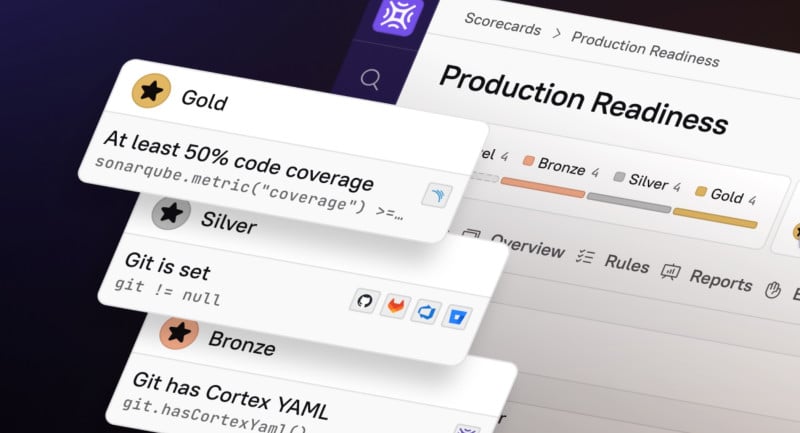
<figure><img src="/files/jIzoc82xs8bSsDFkV7gD" alt="Use Scorecards to measure Production Readiness." width="375"><figcaption></figcaption></figure>

### How Cortex helps with Production Readiness

Your organization can drive Production Readiness in Cortex by:

* Codifying engineering standards in Scorecards and continuously evaluating entities against standards using live data from integrated tools
* Automating Production Readiness requirements in new services and infrastructure via Workflows
* Setting up Data Verification processes to ensure accuracy across your catalogs

{% hint style="success" %}
Looking for additional resources on enforcing Production Readiness in Cortex? Check out the [Cortex Academy "Production Readiness" course](https://academy.cortex.io/courses/production-readiness), available to all Cortex customers and POVs.
{% endhint %}

## Drive and maintain Production Readiness in Cortex

Learn how to use Cortex features for Production Readiness: [**Standardize and automate readiness**](/solutions/production-readiness/configure.md).

Learn about maintaining readiness and continuously improving: [**Production Readiness in action**](/solutions/production-readiness/in-action.md).


---

# Agent Instructions: Querying This Documentation

If you need additional information that is not directly available in this page, you can query the documentation dynamically by asking a question.

Perform an HTTP GET request on the current page URL with the `ask` query parameter:

```
GET https://docs.cortex.io/solutions/production-readiness.md?ask=<question>
```

The question should be specific, self-contained, and written in natural language.
The response will contain a direct answer to the question and relevant excerpts and sources from the documentation.

Use this mechanism when the answer is not explicitly present in the current page, you need clarification or additional context, or you want to retrieve related documentation sections.
