

How to set up a Scorecard rule filter
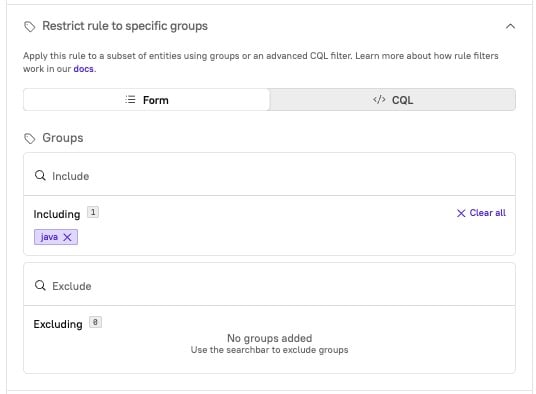
- When setting up a rule for a Scorecard, click and expand Restrict rule to specific groups.
- Select the relevant groups to include or exclude.
-
Or, if you prefer to write a CQL query, click Switch to CQL under the group fields.
-
Or, if you prefer to write a CQL query, click Switch to CQL under the group fields.
- Click Save rule.
Example Scorecard rule filter
For example, let’s say that entities in the “billing” group don’t need to have SLOs set up properly.-
In the rule “Has SLOs set up,” apply a filter to exclude the “billing” group:
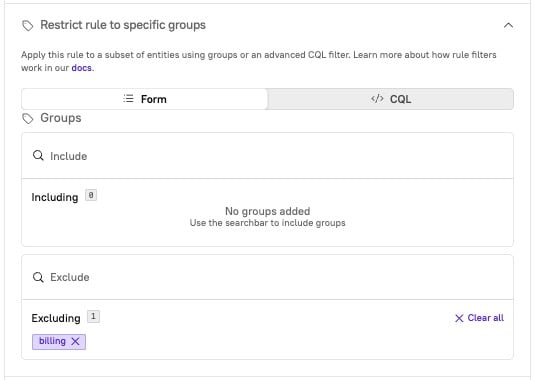
- After saving the rule with the excluded group, view the Scorecard. Any entities in the “billing” group will not be scored against the “Has SLOs set up” rule. The rule will not appear as a passing or a failing rule; it will not be included at all.