Step 1: Use Cortex MCP to identify bottlenecks
First, you can use Cortex MCP to quickly identify bottlenecks in your version control metrics across the organization. Use a prompt such as What are the bottlenecks in my version control metrics org-wide?. The MCP will respond with an analysis of version control bottlenecks. Review the bottlenecks to understand what areas you should focus on.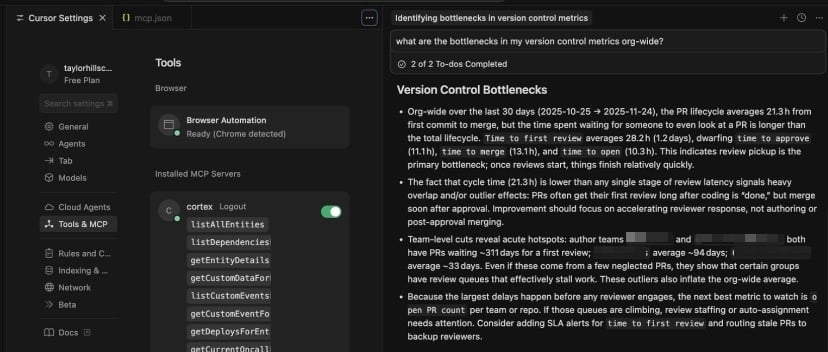
- Review pickup is the primary bottleneck.
- Cycle time being lower than any single stage of review latency signals heavy overlap and/or outlier effects. Improvement should focus on accelerating reviewer response.
- Some teams have much longer wait times for first review.
- Another metric to watch is open PR count per team or repo.
Follow the MCP’s recommended next steps
The MCP will also generate a list of suggestions to take action on the identified bottlenecks. In our example, the MCP made the following recommendations:- Set and enforce review SLAs on time to first review.
- Use Cortex Data Explorer to drill further by repository and reviewer to pinpoint which repos feed the extreme outliers.
- Close abandoned PRs.
Step 2: Create a Custom Dashboard to track progress
In Cortex, create a Custom Dashboard to visualize the bottleneck. Add modules to the dashboard based on what was flagged by Cortex MCP.Create modules for the metrics
Create modules for the metrics
In our example, the metrics flagged were Time to first review and Cycle time.
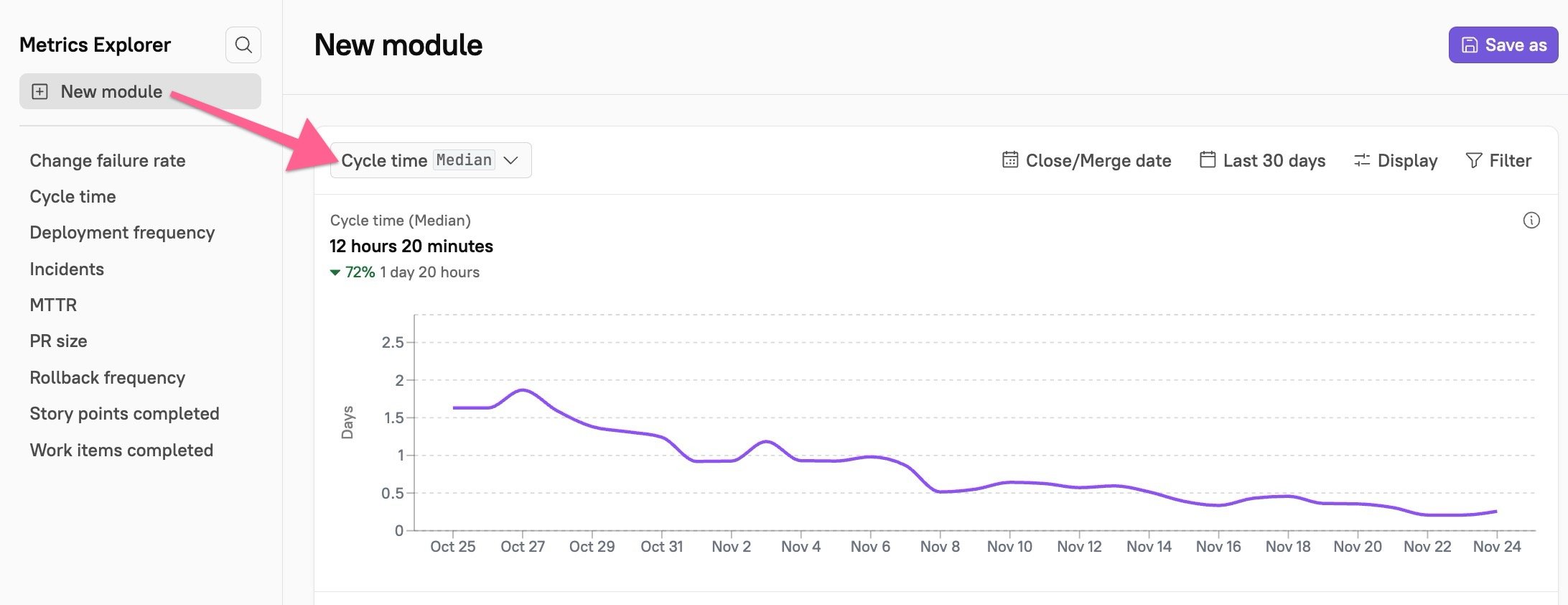
- Navigate to Eng Intelligence > Metrics Explorer.
-
Click +New module, then click the default metric on the page (Cycle time). A modal will open where you can select a new metric.
-
In the Version control metric category, select “Time to first review.” Choose which operation to apply to the chart (average, max, median, min, P95, or sum) then click View metric.
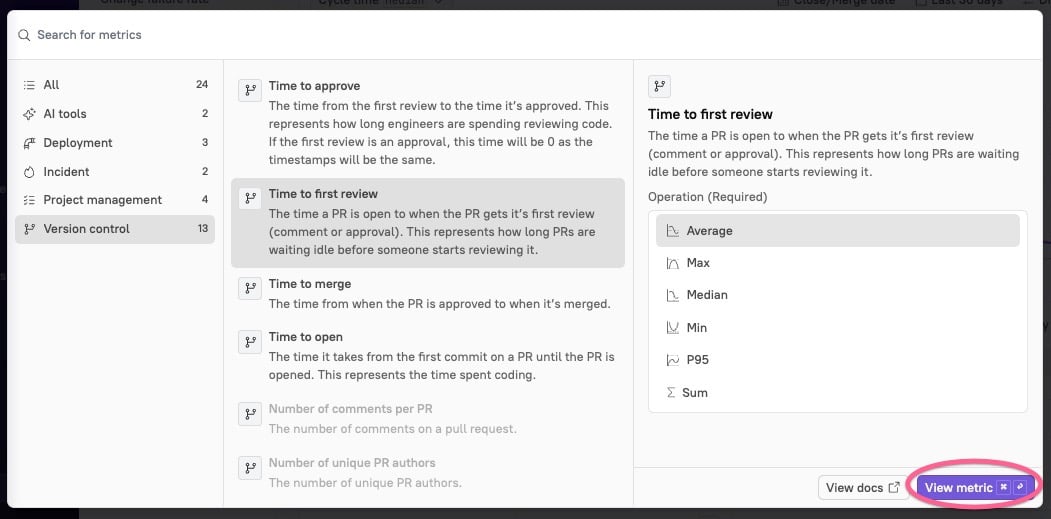
- The visualization will appear on the page. In the upper right corner, click Save as. Give the module a descriptive name, then click Save module.
Create a Custom Dashboard
Create a Custom Dashboard
- Navigate to Eng Intelligence > Dashboards. In the upper right corner, click Create Dashboard.
- Enter a descriptive name for the dashboard, then at the bottom of the sidebar, click Save.
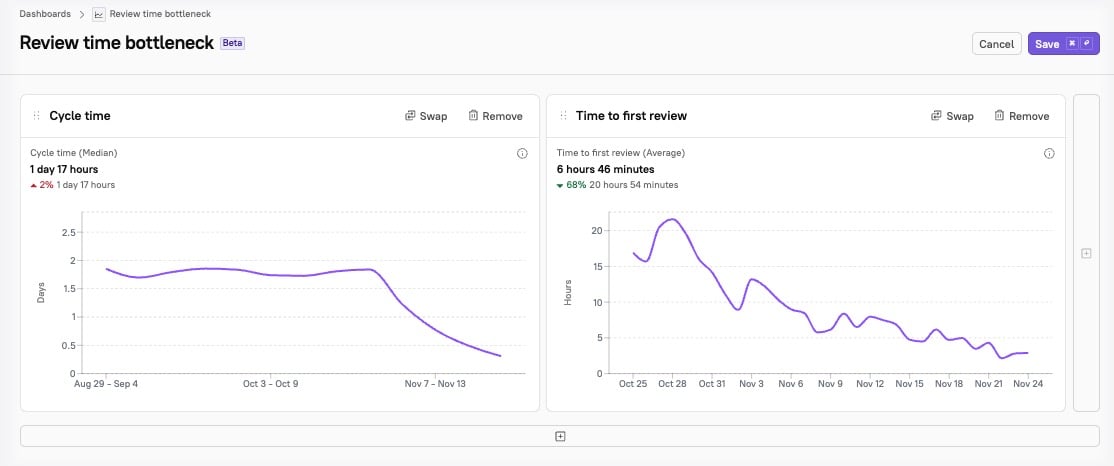
- In our example, since we identified review time as the bottleneck, we name the dashboard “Review time bottleneck.”
- You will be prompted to select a module to add to your dashboard. Select a module, then at the bottom, click Close.
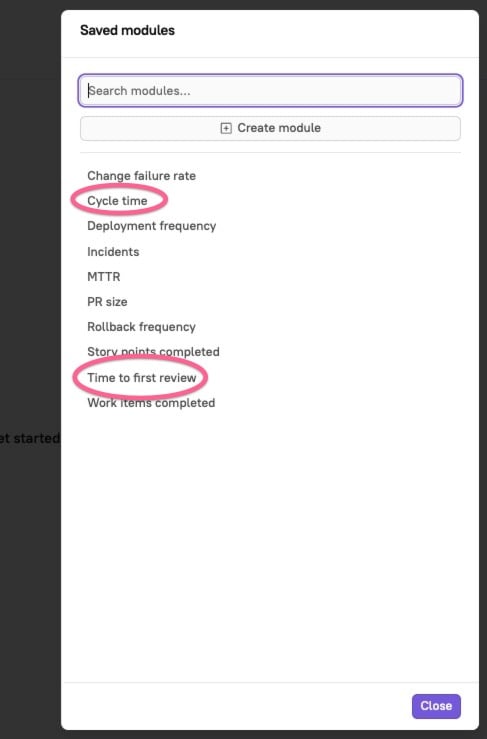
- The page will reload with your module visualization. To add another module, click the + icon at the bottom or side of the page. Select a module from the list again, then click Close.