

Accessing Scorecard settings
- From the main sidebar, click your avatar in the bottom-left corner.
- Select Settings.
- From the Settings menu, locate the Workspace section, then expand Scorecards.
- For general preferences, select the General tab. To view exemptions, select the Rule exemptions tab.
General tab
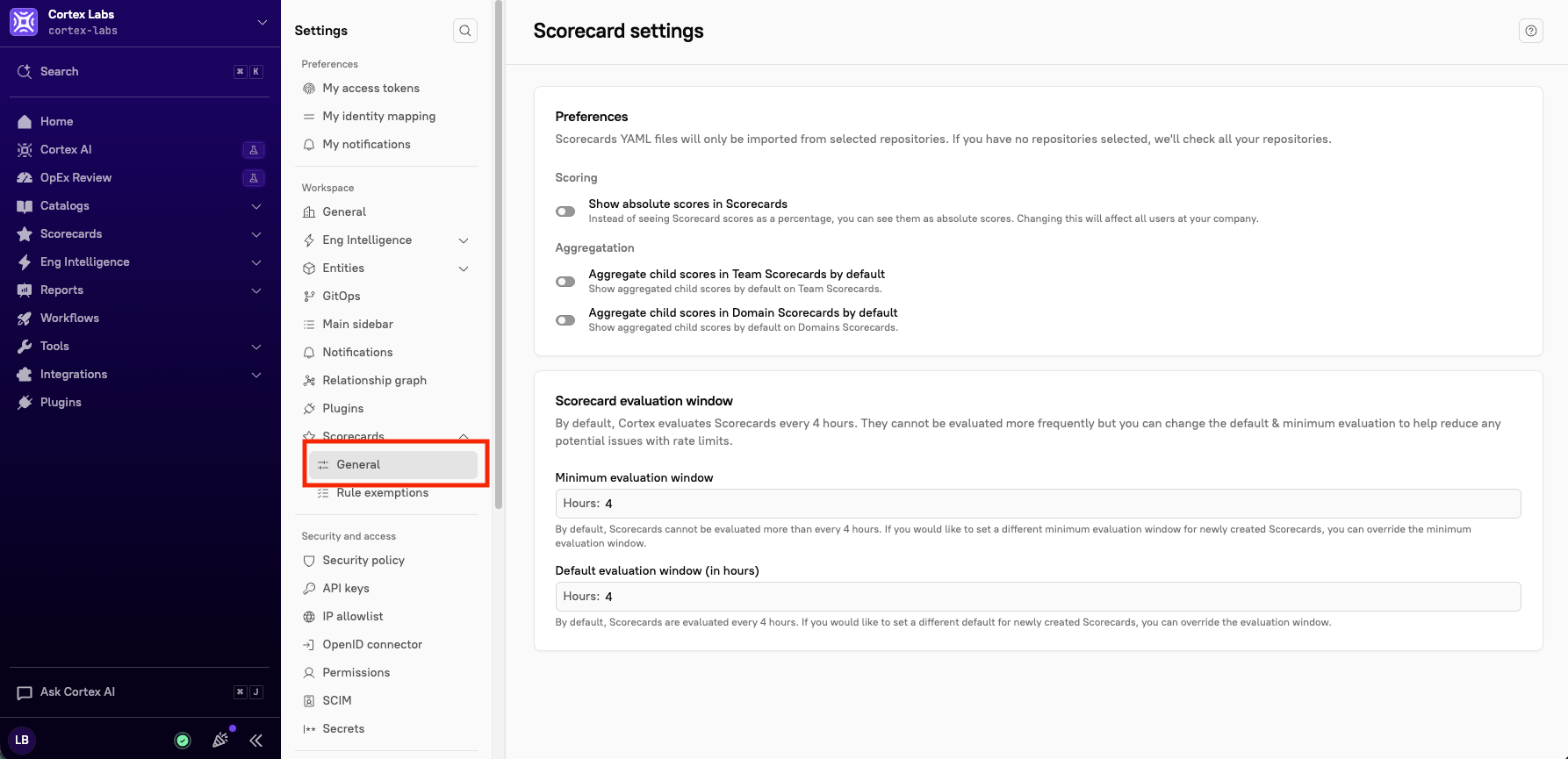
- Show absolute scores in Scorecards - Toggle this setting on to show scores as absolute scores rather than percentages. This toggle affects the setting for all users.
- Aggregate child scores in Team Scorecards by default - Toggle this setting on to default to showing aggregated child scores on Team Scorecards.
- Aggregate child scores in Domain Scorecards by default - Toggle this setting on to default to showing aggregated child scores by default on Domain Scorecards.
- Minimum evaluation window - Enter the minimum number of hours between Scorecard evaluations. The default is 4 hours, which is also the shortest window you can set. Increase this value to evaluate a Scorecard less often.
- Default evaluation window (in hours) - By default, Scorecards are evaluated every 4 hours. You can set a longer evaluation window (in hours), but not a shorter one.
Rule exemptions tab
From this tab, admins can view a list of all rule exemptions. They can accept, reject, and revoke exemptions from this page.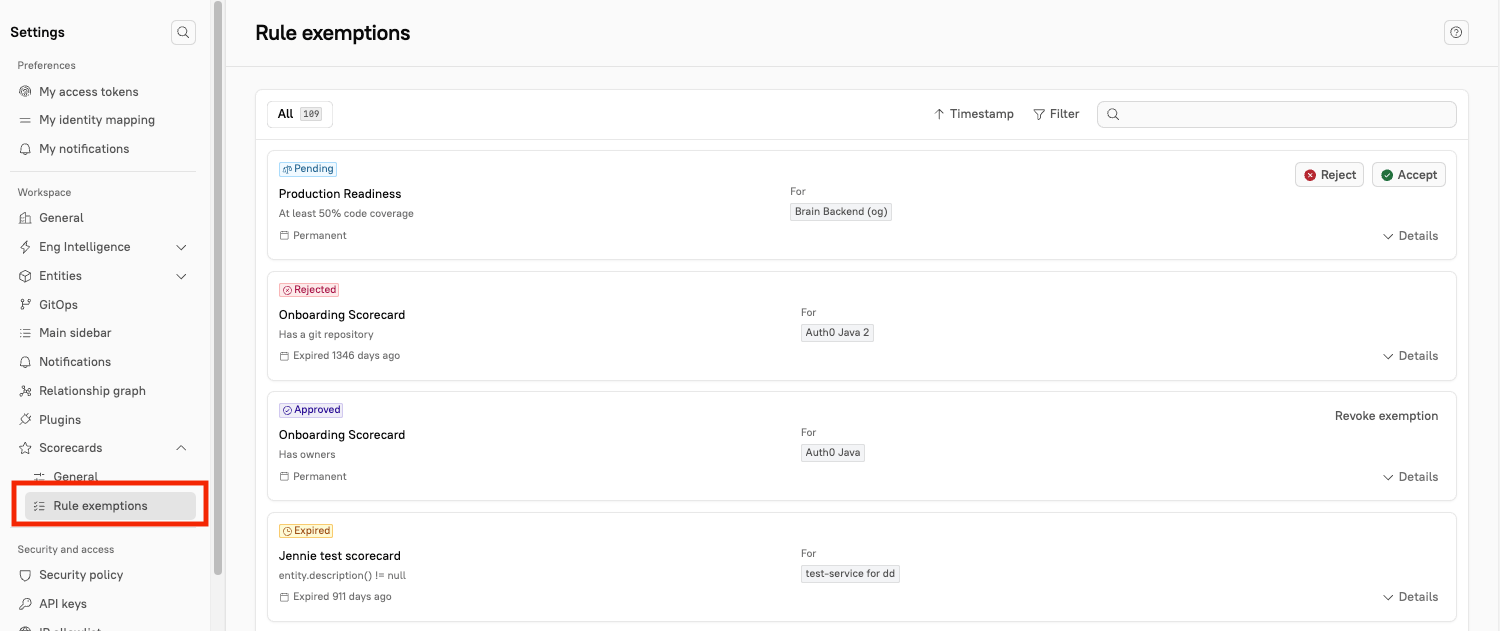
- Click Filter to narrow the list by status, entity, group, rule, requester, or approver.
- Click Timestamp (default) to sort exemptions based on expiration, rule, Scorecard, status, and timestamp (new to old OR old to new).
- On an exemption card, click Details to see who requested the exemption and when, the reason they gave, who approved it and when, and its expiration date.