

- Query your data immediately (including from third-party integrations or custom data), without having to move it, transform it, or wait for batch jobs
- Cortex does not require you to configure custom processes for each new standard you want to track
- You can utilize JQ in CQL, allowing you to do arbitrary JSON manipulations (e.g., fetch nested fields, group by, sum over, etc.). Cortex can transition seamlessly between CQL and JQ data types.
- Use basic arithmetic and utility functions to get the data you need
- Customize Scorecard rules to query information needed to assess your processes quickly
- For example, you can use CQL captures to display the cause of rule failures in a Scorecard.
- Create reusable CQL reports to view any query result, such as the number of incidents your services had in the last week
CQL allows you to ask multi-source questions, such as, “Who’s on call for services in our payment product?” or “Which services are still on the old secrets manager?”It also provides a consistent way to write rules, regardless of the data source. For example, you can use
git.fileExists() to search across all of your Git repositories without needing to specify the Git provider.CQL basics
See additional CQL instructions and examples in the CQL explorer in your workspace.CQL format and data sources
CQL queries use the formatdata source function quantifier, with the function and quantifier options differing depending on the data source and type.
The data sources for CQL are:
- Entity metadata: Core entity details
- Example query:
dependencies.in().length
- Example query:
- Integrations: Data from third-party sources
- Example query:
jira.numOfIssues()
- Example query:
- Custom data: Data attached to the entity, sent via API or defined in the entity YAML
- Example query:
custom("cloud-cost") .cost.compute.actual
- Example query:
- Custom metrics: Time series data from custom metrics you’ve defined
- Example query:
customMetrics(key="error-rate", lookback=duration("P30D")).map((m) => m.value).average()
- Example query:
map() to extract the field first, then apply the aggregation. For an example, see Querying custom metric data with CQL.
Combining CQL expressions
You can combine CQL expressions in multiple ways:- Use
ANDto require multiple conditions to be true- Example:
entity.type() == "container" AND entity.tag() == "production"
- Example:
- Use
ORto allow for multiple possibilities- Example:
entity.type() == "container" OR entity.type() == "function"
- Example:
- Combine
ANDandORwith parentheses- Example:
(entity.type() == "container" OR entity.type() == "function") AND entity.tag() == "production"
- Example:
- Use
!to negate a condition- Example:
!entity.tag() == "production"
- Example:
Captures
You can include entity or CQL evaluation data in a rule’s description and failure message using captures. This will enable you to create a Scorecard rule description or failure message that reflects the rule’s score and affected entity descriptor information (including dependencies and custom data if set in the YAML). Captures allow you to update your rule expressions to “capture” certain pieces of an expression into variables.Learn more about captures
- See additional instructions on using captures in Cortex’s CQL explorer.
- Read about a capture use case in Scorecard examples: Using CQL captures to display the cause of rule failures.
The context object
When you write a Scorecard rule’s description or failure message, you have access to acontext object that includes data about the entity and evaluation. In addition to context.evaluation.captures (see Captures above), you can reference context.entity.id (the entity’s unique Cortex ID) to build direct links to that entity’s page in Cortex. Entity page URLs are keyed on this ID, following the pattern /admin/<category>/<cid>/<tab>.
For example, the following failure message links directly to the failing entity:
CQL testing
Anywhere in Cortex where you use CQL, testing functionality allows you to quickly review and iterate on your queries. Below the CQL editor, select up to 10 entities to test against then click Test. Test results appear per entity below the editor.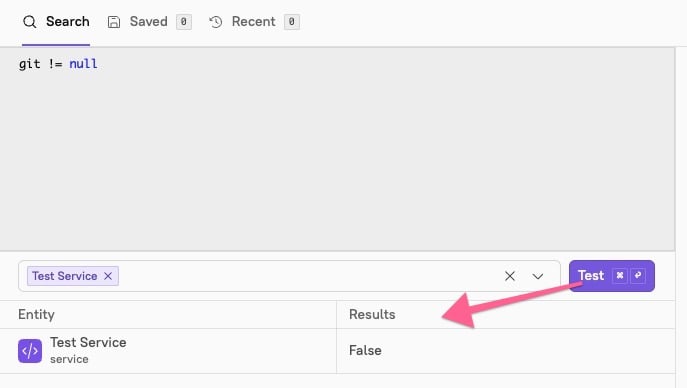
CQL tools
The Query builder tool
The Query builder allows you to leverage all of CQL’s power to investigate information about your entities without building an entire Scorecard. The functionality of the Query builder depends on your permissions. Users who have the ability to edit Scorecards can run queries that talk to third-party integrations. Users without those permissions can run queries on custom data and anything else that exists within Cortex. Users classified as viewers are not able to run queries. To see the Query builder, click Tools > Query builder in the main nav.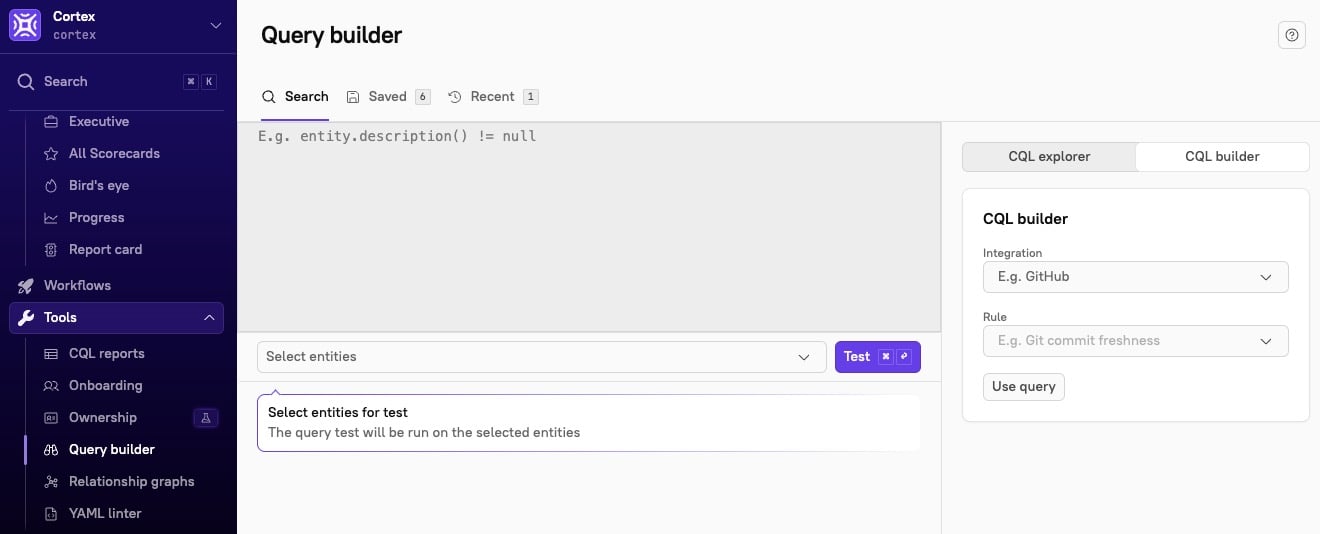
Using custom data in CQL queriesYou can add custom data to any entity, and you can access custom data from any entity’s details page. For example, if you run a security scanning tool that isn’t in the list of existing integrations, you may run a vulnerability scan as part of your CI process and then send that data to Cortex.With the Query builder, you can query against any of this custom data. Anything that can be evaluated with a Scorecard will display in the Query builder, which allows you to essentially use Cortex as a database. Because Cortex is able to pull data from many data sources, the Query builder can even provide more insight than GitHub search.
CQL explorer
CQL explorer contains instructions and examples for specific data types, entity metadata, custom data, and more. You can access it via Query builder or as a standalone page:-
On the Query builder page: On the right side of the Query builder, click the CQL explorer tab to view CQL instructions and examples for specific data types, entity metadata, custom data, and more.
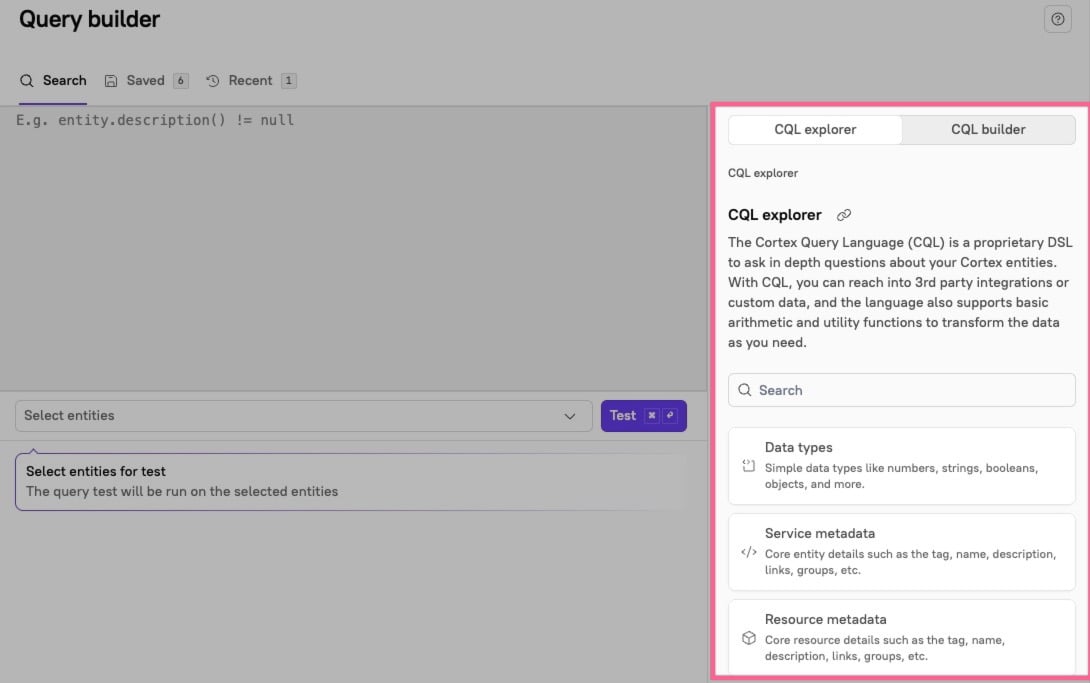
-
As a standalone page:
-
Click the flag icon on the right side of your Cortex workspace.

-
In the Help & Docs side panel, click CQL explorer.
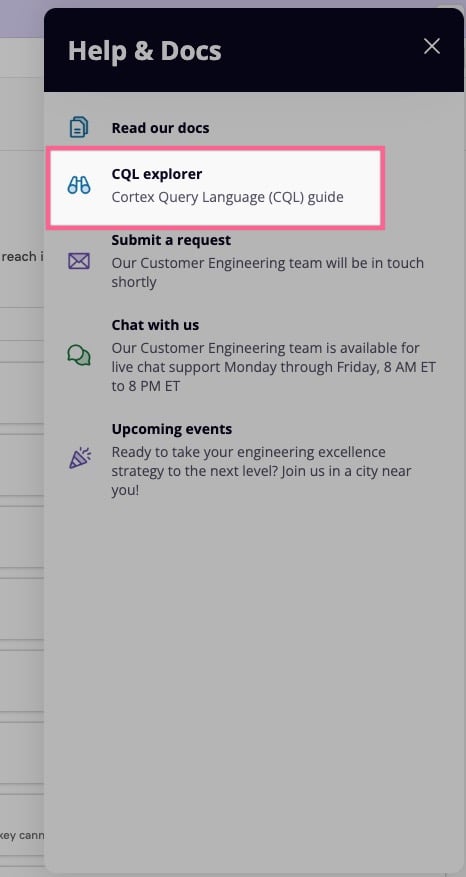
-
Click the flag icon on the right side of your Cortex workspace.