> For the complete documentation index, see [llms.txt](https://docs.cortex.io/llms.txt). Markdown versions of documentation pages are available by appending `.md` to page URLs; this page is available as [Markdown](https://docs.cortex.io/ingesting-data-into-cortex/entities-overview/entities/defining-relationship-types.md).

# Defining relationship types

Every organization has structure: teams own services, services depend on each other, domains group related capabilities. Relationship types are how Cortex models that structure, letting you define not just *that* two entities are related, but *how* they relate and *what kinds* of entities can participate.

## Understanding relationship types in Cortex

A relationship type captures the semantics of a connection between entities: its directionality, the roles each side plays, and the constraints on what can appear at either end. Rather than treating all relationships as equivalent links, Cortex distinguishes between a few fundamentally different relationship patterns:

* **Entity relationships** - Customizable relationships (hierarchical or cyclical) between any entity types
* **Team hierarchies** - Hierarchical relationships specifically between teams, including [ownership](/ingesting-data-into-cortex/entities-overview/entities/ownership.md) over other entities. Learn more in [Understanding hierarchies](/ingesting-data-into-cortex/entities-overview/entities/adding-entities/teams/viewing-teams.md#understanding-hierarchies).
* **Domain hierarchies** - Hierarchical relationships between domains, with optional inheritance so ownership can flow down from parent to child. Learn more in [Viewing the domain hierarchy](/ingesting-data-into-cortex/entities-overview/entities/adding-entities/domains.md#viewing-the-domain-hierarchy).
* **Dependencies** - Cyclical relationships between non-team entities. Learn more in [Defining dependencies](/ingesting-data-into-cortex/entities-overview/entities/adding-entities/dependencies.md).

{% hint style="info" %}
Want to learn more? Check out the Cortex Academy course on [Catalogs, Entities, and Relationships](https://academy.cortex.io/courses/understanding-understanding-catalogs-entities-and-relationships).
{% endhint %}

### Custom relationship type use cases

<table><thead><tr><th width="162.05206298828125">Relationship type</th><th width="255.739501953125">Description</th><th width="144.203125">Source</th><th>Destination</th></tr></thead><tbody><tr><td><strong>Repository</strong></td><td>Mapping services to repositories to view the hierarchy of repos and the services they contain. For example, a service is linked to its code repository.</td><td>Service</td><td>Repository</td></tr><tr><td><strong>Cloud account to resource</strong></td><td>Associating cloud accounts (like AWS, Google Cloud Project, or Azure subscription) with their respective resources (such as EC2 instances or other cloud resources).</td><td><ul><li>AWS account</li><li>GCP</li><li>Azure subscription</li></ul></td><td><ul><li>AWS resources (e.g., EC2)</li><li>Google Cloud resources</li><li>Azure resources</li></ul></td></tr><tr><td><strong>Service to environment</strong></td><td>Linking services to their deployment environments.</td><td>Service</td><td>Environment</td></tr><tr><td><strong>Monorepo</strong></td><td>Mapping multiple services to a single repository.</td><td>Repository</td><td>Service</td></tr><tr><td><strong>Service to endpoint</strong></td><td>Associating services with their endpoints.</td><td>Service</td><td>Endpoint</td></tr><tr><td><strong>Data center modeling</strong></td><td>Representing data centers and their relationships to other infrastructure components.</td><td>Data center</td><td>Component</td></tr></tbody></table>

{% hint style="warning" %}
Use team [ownership](/ingesting-data-into-cortex/entities-overview/entities/ownership.md) to represent ownership relationships, not custom relationship types.
{% endhint %}

## Viewing relationship types

### Viewing all configured relationship types

1. From the main sidebar, expand **Catalogs**, then select **All entities**.
2. Select the **Relationship types** tab.<br>

   <div align="left" data-with-frame="true"><figure><img src="/files/OOyl3qM4moPcJC0Yop00" alt="The &#x27;Relationship types&#x27; tab on the Entities page." width="375"><figcaption></figcaption></figure></div>
3. Select a relationship type from the list to view more information.

### Viewing relationships on entity pages

If an entity belongs to a relationship, you can explore that context directly from its [entity details page](/ingesting-data-into-cortex/entities-overview/entities/details.md).&#x20;

1. Navigate to the entity's details page.
2. From the left entity details sidebar, select **Relationships**. Relationship types associated with the entity appear in the relationships graph.

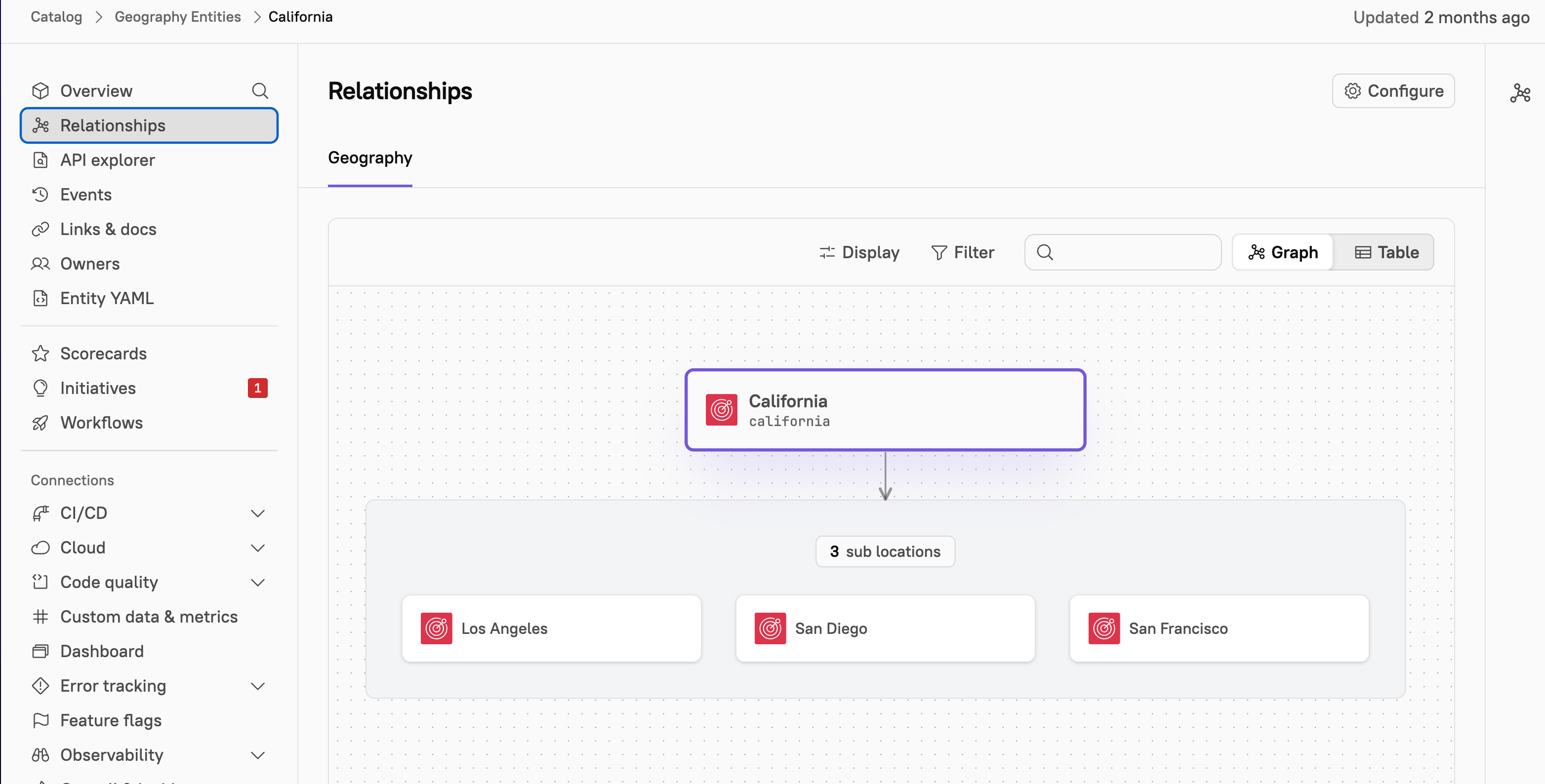
In the example below, the entity `California` belongs to a relationship called `Geography` . Relationships default to **graph view**, giving you a visual map of parent/child connections.

<div align="left" data-with-frame="true"><figure><img src="/files/ylRCehi5PuTKkXaF4EPA" alt="The relationship graph of an entity." width="563"><figcaption></figcaption></figure></div>

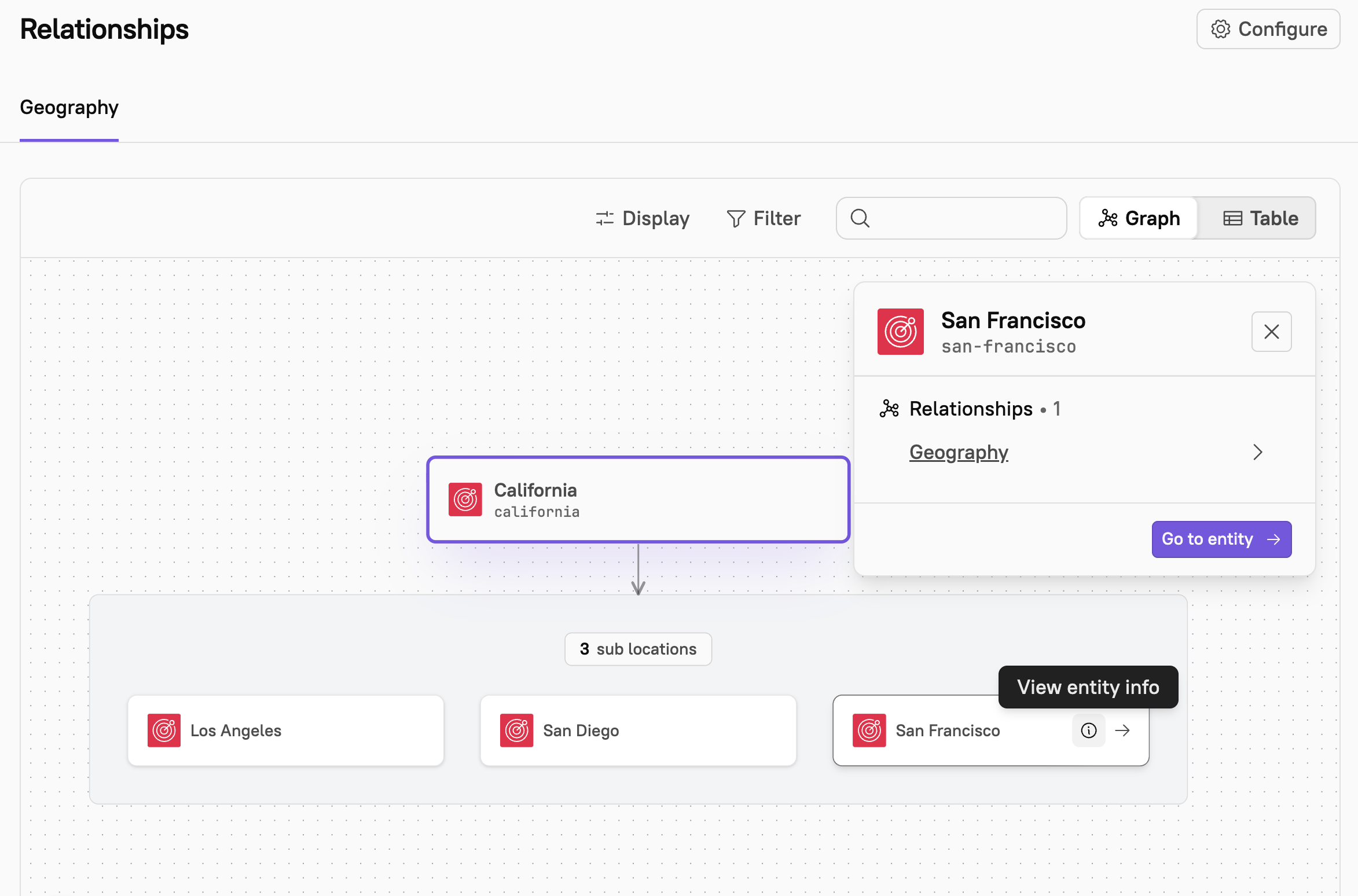
From the graph, click any entity to view a quick summary of its metadata. Select **Go to entity** to navigate directly to that entity's detail page.

<div align="left" data-with-frame="true"><figure><img src="/files/YEz3oeunR66kxlHX8nuJ" alt="" width="563"><figcaption></figcaption></figure></div>

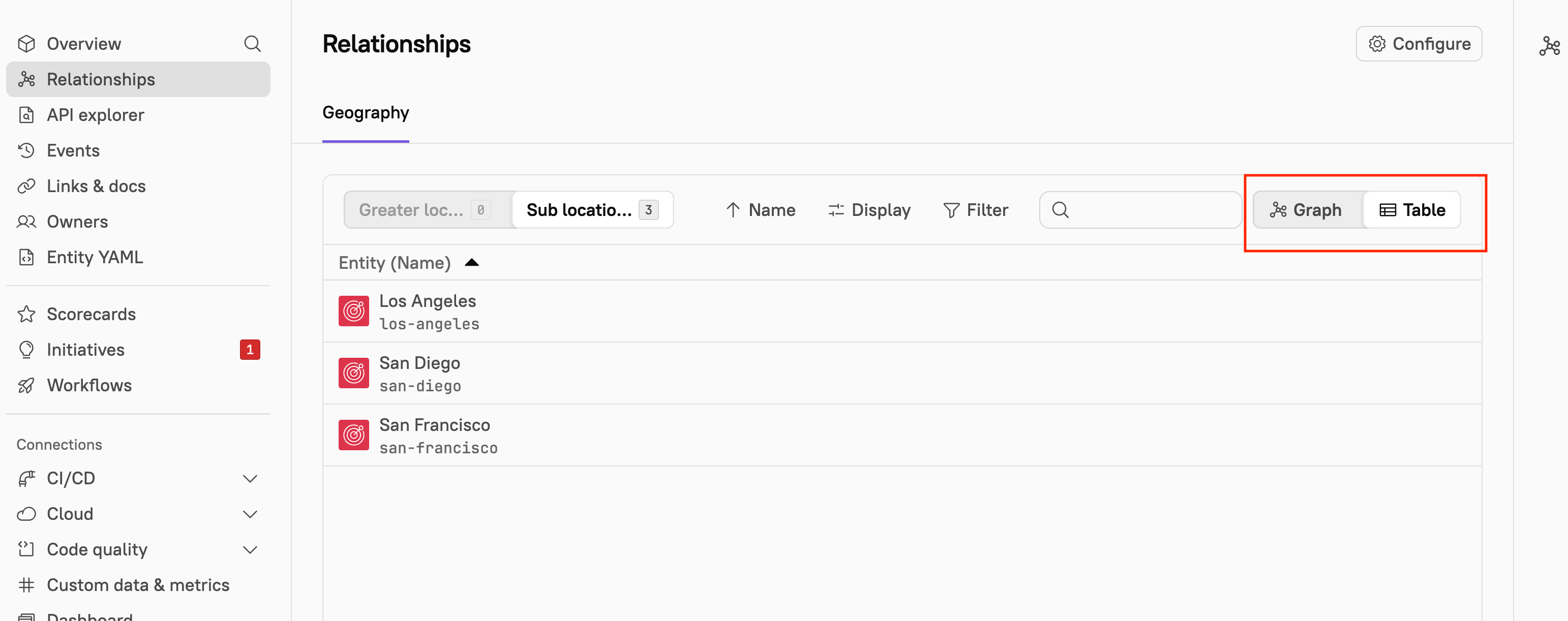
Select **Table view** to see the same data in a structured list. This view is useful for quickly scanning or sorting related entities.

<div align="left" data-with-frame="true"><figure><img src="/files/yXZCT08HLJ34fQqs0TRv" alt="" width="563"><figcaption></figcaption></figure></div>

## Entity relationship CQL

You can create Scorecard rules and write [CQL queries](/standardize/cql.md) based on entity relationships. See more examples in the [CQL Explorer](https://app.getcortexapp.com/admin/cql-explorer) in Cortex.

<details>

<summary>Entity relationship destinations</summary>

All recursive destinations an entity for a relationship type, with an optional depth parameter to expand results

**Definition -** `entity.destinations(relationshipType = "my-relationship")`

**Examples**

You could write a Scorecard rule to ensure that an entity has at least one destination with the "my-relationship" type:

```
entity.destinations(relationshipType = "my-relationship").length > 0
```

</details>

<details>

<summary>Entity relationship sources</summary>

All recursive sources an entity for a relationship type, with an optional depth parameter to expand results

**Definition -** `entity.sources(relationshipType = "my-relationship")`

**Examples**

You could write a Scorecard rule that ensures an entity has at least one source with the "my-relationship" type:

```
entity.sources(relationshipType = "my-relationship").length > 0
```

</details>


---

# Agent Instructions
This documentation is published with GitBook. GitBook is the documentation platform designed so that both humans and AI agents can read, navigate, and reason over technical content effectively. Learn more at gitbook.com.

## Querying This Documentation
If you need additional information that is not directly available in this page, you can query the documentation dynamically by asking a question.

Perform an HTTP GET request on the current page URL with the `ask` query parameter:

```
GET https://docs.cortex.io/ingesting-data-into-cortex/entities-overview/entities/defining-relationship-types.md?ask=<question>
```

The question should be specific, self-contained, and written in natural language.
The response will contain a direct answer to the question and relevant excerpts and sources from the documentation.

Use this mechanism when the answer is not explicitly present in the current page, you need clarification or additional context, or you want to retrieve related documentation sections.